IPTV Online Player: Live TV
- 3.9
- Rating
- 50.00K
- Installs
- Free
- Price

 Analysis by App-foxy
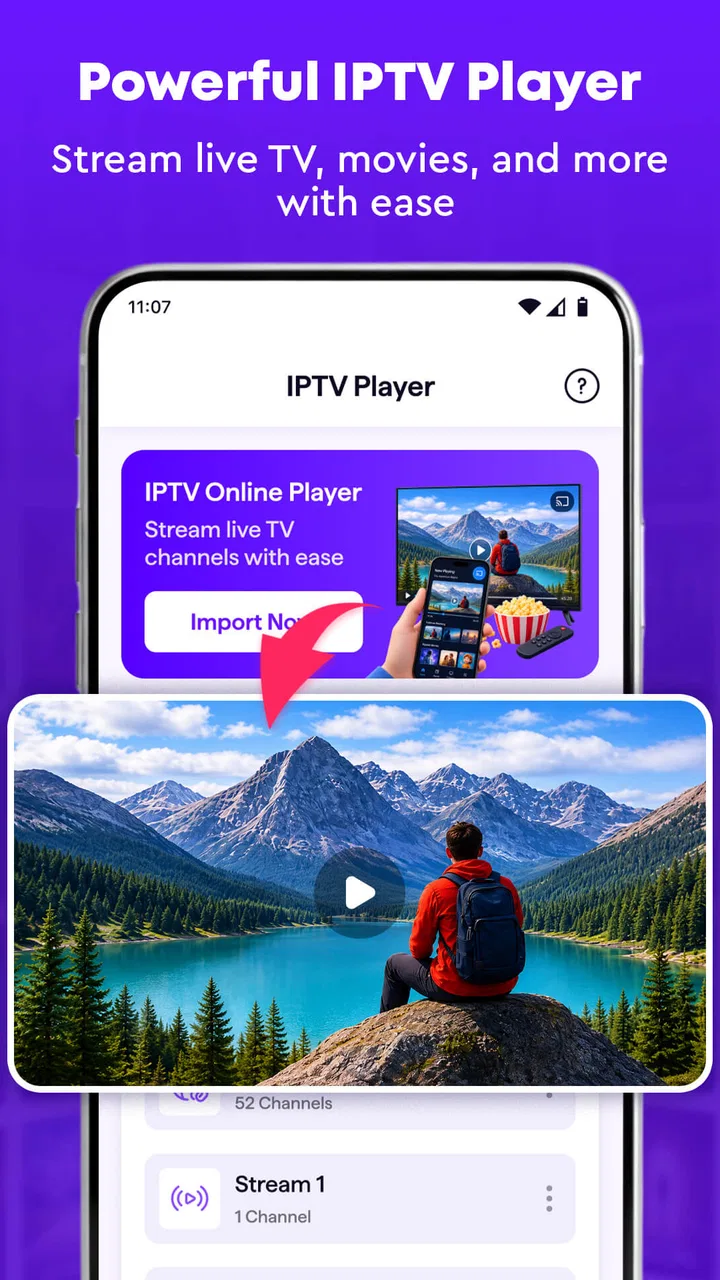
When I try a new IPTV app, I am not only looking for a screen that plays a channel. I want to know whether it helps me turn a messy collection of streaming links into something I can actually use every day. IPTV Online Player: Live TV, developed by ModSik, takes that practical route. It is a free app in the video players and editors category, built around live television playback and personal playlists rather than on-demand entertainment.
My first impression is that its appeal depends heavily on what you already have. This is not a service that replaces a television subscription by itself. It is a player for IPTV sources, so the useful starting point is your own playlist or provider information. If you already receive IPTV links and want one place to organize and watch them, the app makes sense. If you expect a catalog of channels to appear immediately after installation, you may find the experience less satisfying.
The app is aimed at a broad audience, with an Everyone content rating, and it runs on devices using Android 8.1 or later. It is currently at version 1.0, which is worth keeping in mind when deciding how much polish and depth to expect. I see it as a straightforward tool for getting from “I have a playlist” to “I can watch it comfortably,” rather than as a fully developed media center with every advanced feature.
You May Also Like

 Pandora - Music & Podcasts
Pandora’s Music Is Easy to Start, but Harder to Recover
Pandora’s strength is its low-effort path from a seed to a station. Its weak spot is how much confidence it asks you to place in connection, setup, and quiet recovery.

 8 Ball Pool
 Is Built on Rivalries, Rematches, and Routine
A close look at the rivalries, rematches, shared routines, and unanswered safety questions that turn a quick pool match into a persistent mobile community.

 Samsung Music
’s Quiet Strength Is Playing What You Already Own
Its reach comes less from spectacle than from dependable access to a personal library. That simplicity is both the app’s strongest retention engine and its ceiling.

 AccuWeather: Weather Radar
AccuWeather Review: A Quick, Clear Forecast for Everyday Decisions
For everyday plans, the best forecast is the one you can understand quickly. AccuWeather makes rain timing, radar, and local conditions easy to act on, with a few trade-offs.

 Hill Climb Racing
Why Hill Climb Racing Still Turns Crashes Into One More Run
A tiny car, a bumpy hill and one more upgrade: Hill Climb Racing keeps resurfacing because its simple chaos makes every near-miss feel personal.

 AliExpress - Shopping App
AliExpress Makes Global Shopping Feel Personal, but Shoppers Bear the Risk
AliExpress turns a global marketplace into a pocket-sized discovery engine. Its reach is useful, its shopping loop compelling, and its trade-offs easy to miss.
More From Our News Desk
View All News


From a playlist idea to a usable viewing setup
I’d use this section to focus on the key shift: a playlist becomes useful when it reflects how I actually watch, not simply when it contains many channels. I’d start with a short, clearly named selection and see whether the arrangement works during ordinary viewing. From there, the next section can follow how that setup holds up in practice.
Starting with the right source
The creative starting point here is not video production in the usual sense. It is the small act of building a personal viewing setup. I begin with the IPTV information I am allowed to use, then think about how I want to arrange it: general channels together, news in one place, sports somewhere else, or perhaps a separate list for family viewing. That planning matters because a player is only as convenient as the source structure behind it.
IPTV Online Player: Live TV is most useful when I treat it as a workspace for organizing access, not as a magical source of programming. The store summary focuses on streaming live television and making a playlist with ease, and that matches the app’s main purpose. The important distinction is that the app handles playback and playlist management; it does not turn an empty account into a complete television package.
Before adding anything, I would prepare the playlist carefully on a phone or computer. Remove old entries, check that channel names are understandable, and keep related channels near one another. This is a simple step, but it prevents the common IPTV problem of scrolling through a long list of nearly identical labels. A clean source gives the player a much better chance of feeling simple.
Who will get the most from it
I think this app fits people who already use IPTV and want a dedicated player instead of opening links one by one. It can also suit someone setting up a basic living-room device for a household, provided the playlist is prepared in a way that other people can understand. The free price removes an obvious barrier for casual testing, so it is easy to see whether the workflow suits you before committing to a different player.
It is less suitable for viewers who want a polished streaming subscription with recommendations, catch-up programming, recording, or a built-in library. Those expectations belong to a different kind of product. I would also hesitate to recommend it as the only option for someone who needs extensive accessibility controls, advanced playback tuning, or a mature multi-device ecosystem. A more established IPTV platform may be better when those details are central to daily use.
A realistic everyday setup
Imagine I am preparing a tablet for the kitchen. I want live news, weather, and a few general channels available without searching through a browser. I would first gather my legitimate playlist details, give the list a clear name, and arrange the channels in the order I expect to use them. Once that is done, the app becomes a simple launch point: open the player, choose the relevant entry, and start watching.
The useful insight is that the first setup session deserves more attention than the store summary suggests. A few minutes spent naming and sorting entries can save much more time later. I would avoid creating several nearly identical playlists until I know how I want to separate them. One well-organized list is easier to test, revise, and hand to another member of the household.
Keeping the source under control
IPTV playlists can change over time. A channel may stop working, a provider may replace an address, or a label may become confusing. That means the app should be approached as part of a maintenance routine. I would periodically review the list, remove dead entries, and keep a backup of the source information somewhere safe. This is not glamorous, but it is one of the biggest differences between a smooth setup and a frustrating one.
I also recommend testing the playlist on the device where it will actually be used. A list that works on a phone may behave differently on a larger screen or a weaker connection. Checking several entries before relying on the setup helps separate an app problem from a source or network problem. That habit is especially valuable with a new version-one player, where the simplest troubleshooting method is often to isolate each part of the chain.
Moving through the making process
Once the source is ready, the making process is mostly about turning it into a usable personal playlist. I would start with a small selection instead of importing every channel at once. This creates a controlled test: add a few entries, check whether they are easy to recognize, and then expand the list only after the basic routine feels comfortable.
This staged approach is a practical advantage even if the app itself is intentionally simple. A smaller playlist makes it easier to spot whether a problem comes from a broken stream, an unclear name, or an awkward arrangement. If everything is added in one pass, troubleshooting becomes much harder because there are too many possible causes.
For household use, I would create a naming convention before editing the list. For example, I might place the language or content type at the beginning of each label, followed by the channel name. The exact convention is up to me, but consistency matters more than decoration. It makes scanning faster and reduces the chance of selecting the wrong stream when several entries look alike.
What the app does well in this stage
The strongest part of the concept is its directness. IPTV Online Player: Live TV is not trying to turn playlist management into a complicated media project. The free app gives me a focused place to work with live streams, and its purpose is easy to understand. That clarity is helpful for users who do not want a large entertainment interface surrounding a basic viewing task.
Another strength is the separation between the source and the player. I can think about my playlist as something I organize, improve, and maintain, while the app serves as the viewing tool. That mindset makes it easier to change the arrangement without treating every playback issue as a reason to abandon the whole setup.
Where the process can become frustrating
The same simplicity can become a limitation. A dedicated player is only as convenient as its playlist workflow, and a new version may not offer the depth that experienced IPTV users expect. I would not assume that it includes every advanced option found in long-established alternatives. If I need sophisticated channel grouping, detailed guide data, recording, or extensive device synchronization, I would compare it carefully with a more mature player before moving my entire setup.
There is also a responsibility on the user’s side. The app should not be treated as a source of unauthorized television content. I would use it with streams and playlists I have the right to access. That keeps the tool in its proper role: a way to play and organize lawful IPTV sources, not a shortcut around content providers.
Iteration: improving the setup instead of starting over
The best way to evaluate this app is through iteration. I would not judge the first playlist as final. After a day or two of normal use, I would notice which channels I actually open, which labels slow me down, and which entries are no longer useful. Then I would revise the list rather than accepting the original arrangement.
One non-obvious benefit of this approach is that it reveals whether I need one playlist or several. A single list is convenient for a small collection, but separate lists may be clearer when different people or viewing contexts are involved. On the other hand, too many lists create their own friction. I would split them only when the separation solves a real problem, such as keeping a personal collection apart from a family collection.
I would also test the app during different network conditions. If playback fails, I would first check whether other streams work, then verify the source itself, and finally look at the connection. This order prevents a common mistake: blaming the player when only one channel is unavailable. It is a simple diagnostic workflow, but it saves time and gives a fairer impression of what the app can actually do.
Comparing it with the usual alternatives
Compared with a general video player, this app has a clearer IPTV purpose. A normal player may handle local files or individual video links well, but it is not necessarily designed around a personal live-channel list. IPTV Online Player: Live TV is more appropriate when the playlist is the center of the experience.
Compared with a full streaming service, the difference is even greater. Subscription platforms usually provide a finished catalog, polished discovery, and a controlled viewing environment. This app gives me more responsibility: I bring the source, organize it, and maintain it. That can be an advantage for flexibility, but it also means the experience depends on factors outside the player.
Compared with a mature IPTV application, the decision comes down to priorities. This app’s free entry point and focused purpose are appealing for a lightweight setup. A longer-established alternative may be the better choice for users who need a detailed electronic program guide, recording, favorites across devices, or extensive customization. I would choose ModSik’s player when I value a simple starting point more than a deep feature list.
Preparing for handoff to another device or person
The export or handoff stage is where organization pays off. If I am moving the setup to another Android device, I would keep the original playlist information available and recreate the arrangement carefully rather than assuming that every device will inherit the same structure. I would then test the most important channels before handing the device over.
For another person, I would provide a short explanation of the playlist’s organization: where general channels are located, which entries are most reliable, and what to check if one stream does not load. This is more useful than simply saying “open the app.” A clean handoff reduces support questions and makes the player feel approachable to someone who did not build the list.
Because the app is free and currently at version 1.0, I would keep expectations realistic during handoff. I would not make it the foundation of a critical public display or a business workflow without testing it extensively first. For personal viewing, however, a careful setup and a small backup routine can make the experience dependable enough for ordinary use.
Scale, maturity, and what the numbers suggest
The app has passed fifty thousand installs and holds a 3.9 average from around eight hundred ratings. I read that as a sign of real interest, but not as proof that it will satisfy every IPTV audience. The rating suggests a mixed experience rather than universal approval, so I would pay attention to my own workflow instead of assuming that popularity settles the question.
There is also only one written review associated with the listing, which makes the numerical score less helpful as a detailed guide to specific strengths or problems. In practical terms, I would use the free installation as a trial: start with a modest playlist, test the channels I care about, and decide whether the navigation and maintenance effort are acceptable.
Privacy-minded and practical habits
When working with IPTV credentials or playlist addresses, I would avoid sharing them casually. Even if the player is simple, the information connected to a playlist can be sensitive. I would also avoid storing unnecessary copies in public notes or sending them through group chats. The safest workflow is to keep the source information organized and share it only with people who are meant to use it.
For a family tablet, I would make the playlist understandable without exposing more information than necessary. For personal use, I would keep a backup in a private location so that a device reset does not force me to rebuild everything from memory. These habits are not special features, but they make a lightweight player much easier to live with.
My creator-style verdict on the workflow
I see IPTV Online Player: Live TV as a small production tool for a viewing setup: I start with a source, shape it into a playlist, test it, revise it, and hand it off to the device or person that needs it. That workflow is its real value. It does not remove every IPTV inconvenience, but it gives me a focused place to manage the part I control.
I would recommend it to someone who already has legitimate IPTV access and wants a free, uncomplicated player for live channels. I would especially suggest trying it when a large media platform feels excessive and a general video player feels too limited. The app’s straightforward purpose makes it easy to evaluate without a long commitment.
I would skip it, or at least compare it with more established options, if my priority is a complete television service, advanced guide functions, recording, extensive customization, or a highly polished multi-device experience. Those needs call for a deeper tool. For everyone else, the smartest approach is to test it with a small, well-organized playlist before building your entire viewing routine around it.
ModSik’s app is free, rated for Everyone, and compatible with Android 8.1 and newer devices. Those details make it accessible for casual experimentation, while its version 1.0 status suggests that I should judge it by the basics first: can I add the sources I am entitled to use, find channels quickly, and watch them without unnecessary effort? If the answer is yes, it can be a useful addition to a personal IPTV playlist. If not, moving to a more mature alternative will probably save time.
FAQs for IPTV Online Player: Live TV
01What is IPTV Online Player: Live TV, and how does it work?
IPTV Online Player: Live TV is an application designed to play television channels and other video content delivered through internet-based IPTV services. The app generally works as a media player rather than a channel provider, so you normally need to add a compatible playlist, M3U link, Xtream Codes account, or another supported source from your IPTV provider before watching anything.
02Does IPTV Online Player: Live TV include free channels or live television subscriptions?
The application should not automatically be considered a television subscription service. In most cases, it provides the playback tools while the channels come from a playlist or account supplied by the user. Availability depends on the source you add, and some providers charge separately. Always use legitimate services and verify the provider’s terms, channel rights, pricing, and supported devices before subscribing.
03Which devices and IPTV formats are supported by the app?
Support can vary depending on the version of IPTV Online Player: Live TV and the device on which it is installed. Users should check whether their phone, tablet, Android TV, or compatible iOS device is supported, as well as the available login methods. Common IPTV formats may include M3U playlists, electronic program guides, and provider credentials, but compatibility should be confirmed before downloading.
04Does IPTV Online Player: Live TV require an internet connection?
Yes, a stable internet connection is essential for streaming live television through the application. Video quality and playback reliability depend on your connection speed, Wi-Fi performance, device capabilities, and the IPTV provider’s servers. Slow networks may cause buffering, delays, or reduced picture quality. The app is intended primarily for online streaming, so offline viewing is generally not its main purpose.
05Is IPTV Online Player: Live TV safe and legal to use?
The application itself may be a legitimate playback tool, but the legality of the content depends on the IPTV sources you use. Download it from an official app store or trusted source, review requested permissions, and avoid unknown playlists or providers promising premium channels at unusually low prices. Use only services authorized to distribute their content, and protect your account information when entering login details.
Pros
- Supports live TV streaming from multiple IPTV playlists.
- Simple interface makes channel browsing quick and convenient.
- Compatible with common playlist formats such as M3U.
- Offers a full-screen viewing mode for a better experience.
- Useful search and channel organization tools save time.
Cons
- Content availability depends entirely on the playlists you provide.
- Some streams may buffer or stop because of unreliable sources.
- The app may not include channels or subscriptions by itself.
- Certain features can vary between Android and iOS versions.
- Streaming live TV can consume significant mobile data.

IPTV Online Player: Live TV
Gallery